Stable Diffusion Explained: A Beginner's Guide to AI Image Generation
Stable Diffusion is an open-source AI image generation model that converts text prompts into detailed visuals, and this guide covers how it works, which versions to use, and how to get started.
Stable Diffusion Explained: A Beginner's Guide to AI Image Generation
Artificial intelligence has transformed the way we create visuals, and few tools have made a bigger splash than Stable Diffusion. Whether you have seen stunning AI-generated artwork flooding social media or heard tech enthusiasts raving about open-source image models, Stable Diffusion is likely at the center of that conversation. This guide breaks down what Stable Diffusion is, how it works, and how you can start using it to generate compelling images, even if you have no coding background.
What Is Stable Diffusion?
Stable Diffusion is an open-source, deep learning text-to-image model developed by Stability AI in collaboration with researchers from LMU Munich and the CompVis group. Released to the public in August 2022, it allows users to generate highly detailed images from simple text descriptions, known as prompts. Unlike proprietary tools locked behind paywalls or corporate APIs, Stable Diffusion can be downloaded, modified, and run locally on a personal computer, making it a favorite among artists, developers, and researchers worldwide.
At its core, the model belongs to a class of generative AI called latent diffusion models (LDMs). These models learn to reconstruct images after being trained on billions of image-text pairs scraped from the internet, enabling them to connect written language with visual concepts in extraordinarily nuanced ways.
How Does Stable Diffusion Work?
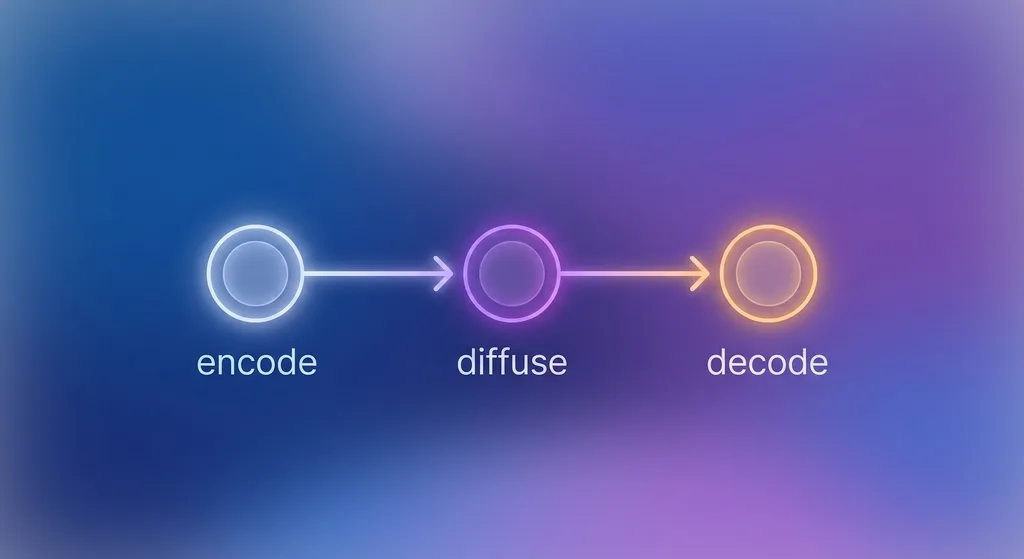
Understanding the mechanics of Stable Diffusion does not require a PhD, but a basic grasp of the process helps you get better results. The model operates in three main stages:
- Text encoding: Your written prompt is fed into a text encoder, typically based on OpenAI's CLIP model. This converts your words into a numerical representation the model can interpret.
- Latent diffusion: Instead of working directly with full-resolution pixels, the model operates in a compressed latent space. It starts with random noise and gradually refines it over dozens of steps, guided by your text embedding, until a coherent image structure emerges.
- Decoding: A variational autoencoder (VAE) then decodes the latent representation back into a standard image you can view, save, and share.
This three-stage approach is far more computationally efficient than earlier pixel-level diffusion methods, which is precisely why Stable Diffusion can run on consumer-grade GPUs with as little as 4 GB of VRAM.
Key Versions and Variants
Stable Diffusion has evolved rapidly since its debut. Knowing the landscape of versions helps you pick the right tool for your project:
- Stable Diffusion 1.x: The original series trained on 512x512 images. Models like SD 1.4 and SD 1.5 remain widely used because of their broad community support and massive library of fine-tuned checkpoints.
- Stable Diffusion 2.x: Trained at higher resolutions (768x768 and up) with a new text encoder. Some users found that certain artistic styles were less accessible, but photo-realism improved significantly.
- Stable Diffusion XL (SDXL): Released in 2023, SDXL uses a larger base model and a refiner model in tandem, producing images at 1024x1024 with dramatically richer detail, better prompt comprehension, and more natural human anatomy.
- SDXL Turbo and Stable Cascade: Newer architectures designed for near-real-time generation, reducing inference steps from 20-50 down to just 1-4 without a significant quality drop.
- Community fine-tunes: Thousands of custom checkpoints exist for specific styles, such as anime, photorealism, architecture, and concept art, hosted on platforms like Civitai and Hugging Face.
How to Get Started: Tools and Interfaces
One of the greatest strengths of Stable Diffusion is the variety of ways you can access and use it. Here are the most popular options:
1. AUTOMATIC1111 Web UI
The AUTOMATIC1111 Stable Diffusion Web UI is the most widely used local interface. It offers a browser-based dashboard packed with features including ControlNet, img2img, inpainting, and an extensive extension ecosystem. Installation requires a compatible NVIDIA GPU, Python, and Git, but detailed community guides make setup approachable for most users.
2. ComfyUI
ComfyUI takes a node-based approach, letting you visually wire together different model components and workflows. It is preferred by power users and developers who want granular control over every stage of the generation pipeline.
3. Cloud-Based Platforms
If you do not have a capable GPU, services like Google Colab, Mage.space, NightCafe, and DreamStudio (Stability AI's own platform) offer browser-accessible Stable Diffusion generation with no local setup required. Many offer free tiers suitable for experimentation.
4. Diffusers Library (Python)
Developers who prefer working in code can use Hugging Face's diffusers library, which provides a clean Python API for loading models, adjusting samplers, and integrating Stable Diffusion into custom applications.
Writing Effective Prompts
The quality of your output depends heavily on your prompt. Stable Diffusion is sensitive to word choice, order, and emphasis. Here are practical tips for better results:
- Be specific: Instead of "a cat," try "a fluffy orange tabby cat sitting on a windowsill at golden hour, soft bokeh background, photorealistic."
- Specify style and medium: Adding terms like "oil painting," "watercolor," "cinematic photography," or "digital illustration" shapes the aesthetic dramatically.
- Use quality boosters: Phrases like "highly detailed," "sharp focus," "8K resolution," and "award-winning photography" are widely used to nudge the model toward cleaner outputs.
- Use negative prompts: Negative prompts tell the model what to avoid. Common entries include "blurry, low quality, extra limbs, watermark, text."
- Adjust guidance scale (CFG): This setting controls how strictly the model follows your prompt. Higher values (7-12) yield more literal interpretations; lower values (3-6) allow more creative freedom.
Advanced Techniques: Going Beyond Text-to-Image
Stable Diffusion is not limited to generating images from scratch. A growing toolkit of advanced features dramatically expands what is possible:
- img2img: Use an existing image as a starting point and let the model transform it according to your prompt. Great for iterative refinement or style transfer.
- Inpainting and outpainting: Mask a portion of an image to regenerate only that area, or extend an image beyond its original canvas.
- ControlNet: This extension lets you guide composition using pose skeletons, edge maps, depth maps, and more, giving you precise control over how figures and objects are arranged.
- LoRA (Low-Rank Adaptation): Lightweight fine-tuned add-ons that teach the model a specific character, art style, or product look without retraining the entire model.
- Textual Inversion and DreamBooth: Techniques for personalizing the model with your own photos, enabling it to recreate a specific face, object, or aesthetic on demand.
Ethical Considerations and Responsible Use
Stable Diffusion's open-source nature is a double-edged sword. The same accessibility that empowers independent artists also creates potential for misuse, including the generation of deepfakes, non-consensual imagery, or content that infringes on existing artists' styles. Responsible use means:
- Respecting artist consent and credit when generating stylized content inspired by living creators.
- Avoiding the generation of harmful, deceptive, or illegal content.
- Being transparent when sharing AI-generated work, particularly in professional or commercial contexts.
- Staying informed about evolving regulations around AI-generated imagery in your region.
The community around Stable Diffusion is actively developing tools, watermarking standards, and ethical guidelines to address these concerns as the technology matures.
Conclusion
Stable Diffusion represents a landmark shift in how images are created and who gets to create them. By combining powerful deep learning with open-source accessibility, it has placed professional-grade generative AI in the hands of anyone with a computer and curiosity. Whether you are an artist exploring new styles, a developer building image-powered products, or simply someone who wants to bring a creative vision to life, Stable Diffusion offers a flexible, community-backed platform to do exactly that. Start with a simple prompt, experiment with models and settings, and you will quickly discover just how far this technology can take your visual ideas.
Written by the Editorial Team
Frequently asked questions
Do I need a powerful computer to run Stable Diffusion?
You need a GPU with at least 4 GB of VRAM to run Stable Diffusion locally, with 8 GB or more recommended for higher resolutions and newer models like SDXL. If your hardware does not meet these requirements, cloud-based platforms such as Google Colab or DreamStudio let you generate images through a browser without any local GPU.
Is Stable Diffusion free to use?
The core Stable Diffusion model is open-source and free to download and use. Some third-party platforms that host it online offer free tiers with usage limits and paid plans for higher volume or priority access.
What is the difference between Stable Diffusion and Midjourney?
Stable Diffusion is open-source and can be run locally with full customization, while Midjourney is a proprietary, closed service accessed through Discord with a subscription fee. Stable Diffusion offers more flexibility and community-built extensions, while Midjourney is often praised for its polished out-of-the-box aesthetic quality.
What is a negative prompt in Stable Diffusion?
A negative prompt is a list of words or phrases that tell the model what to exclude from the generated image. Common entries include terms like 'blurry,' 'low quality,' 'extra limbs,' and 'watermark,' which help the model produce cleaner and more accurate results.
Can I use Stable Diffusion images commercially?
The licensing terms vary by model version and the platform or checkpoint you use. The base Stable Diffusion models use the CreativeML Open RAIL-M license, which permits commercial use with certain restrictions around harmful content. Always review the specific license of any model or fine-tune you use before commercializing its output.
Discussion
Join the conversation
Share your perspective and connect with other readers.